



 account.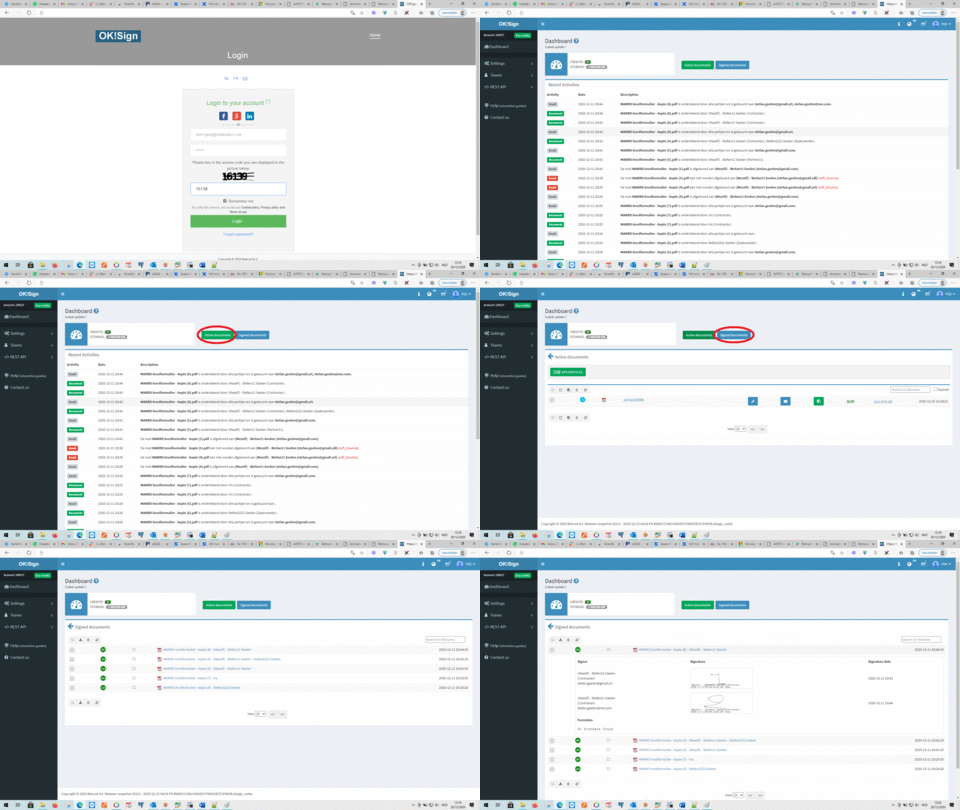


 QES Electronic signature per signer per document
 Convert Word to PDF document / compress PDF


Digital signature: frequently asked questions
What is an electronic signature?
With electronic signatures (also called digital signatures), you can sign documents digitally, without having to print, initial, sign by hand, scan (or photograph) and return them to the other party.
There are different types of electronic signatures, each with its own conditions and legal effects.
What types of electronic signatures exist?
There are three types of electronic signatures:
- Simple electronic signature
- Advanced electronic signature
- Qualified electronic signature
Simple electronic signature
A simple electronic signature is the most basic form, such as a PIN code,
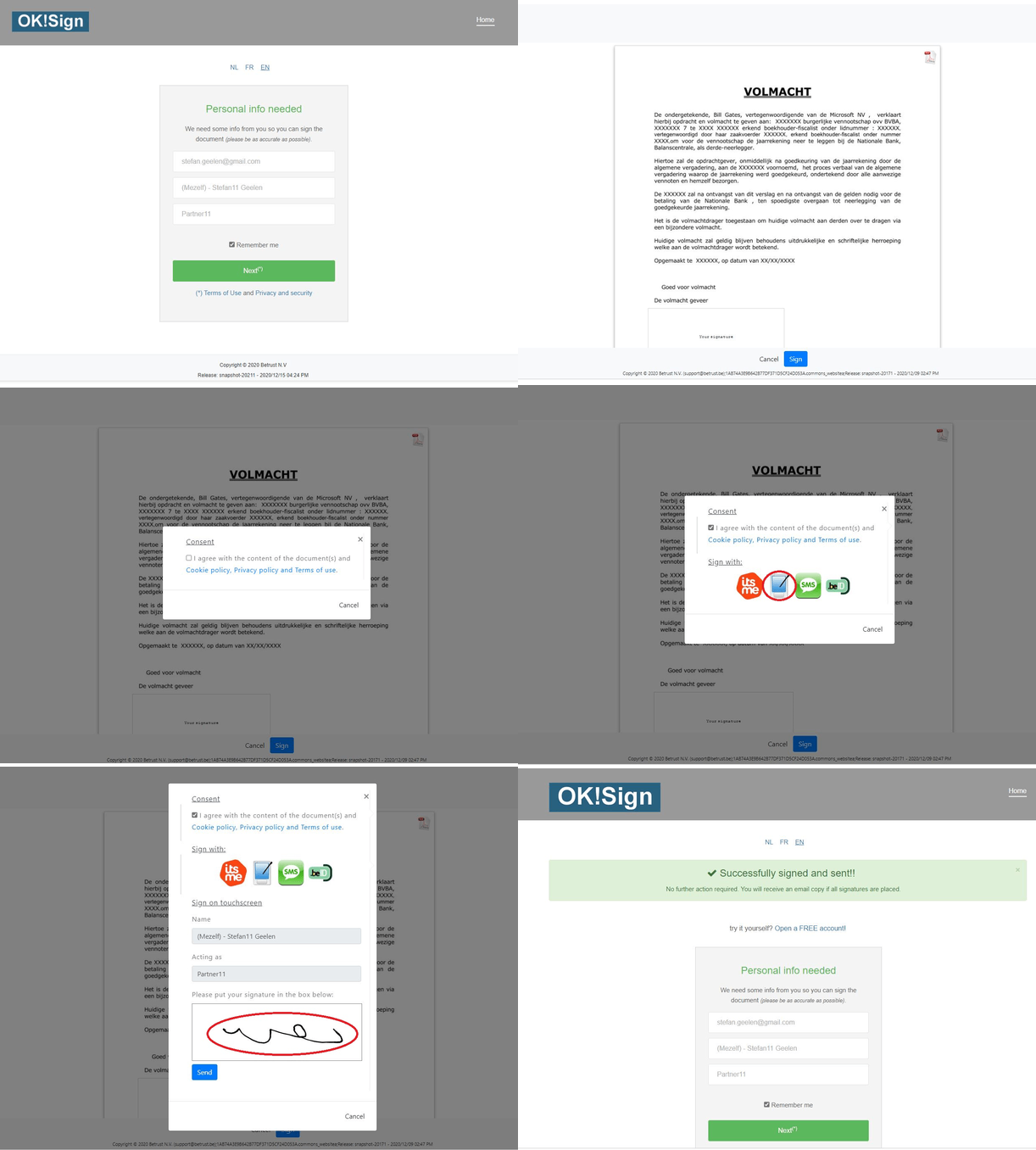
clicking an approval button, or a handwritten scribble on a touchscreen.
With
OKSign
SMS and Pen (scribble on touchscreen) are considered a simple electronic signature
.
Advanced electronic signature
This is a more secure form, which guarantees the authenticity of the signer
and the integrity of the document.
With
OKSign
every signed document is certified with the Betrust Qualified certificate,
ensuring that the document content and the signing time are recorded unambiguously.
Qualified electronic signature
This is the most reliable form, legally equivalent to a handwritten signature
and based on a personal certificate issued by a recognized trust service provider.
With
OKSign
you can apply a qualified signature using the Belgian eID and Itsme.
Which type of signature should I choose?
This depends on the relationship with the signer and the content of the document. Consult your legal advisor for more information.
OKSign allows you to easily sign a document. You can choose per signature field which signing option(s) (eID, itsme®, SMS, Pen (scribble on touchscreen)) is(are) active during the signing process.
Which regulations apply to electronic signatures?
In the European Union, the eIDAS Regulation applies. It governs electronic identification and trust services for electronic transactions within the internal market.
It requires that a qualified electronic signature is legally equivalent to a handwritten signature and is automatically recognized in all other Member States.
How can I sign electronically?
With OKSign you can easily have all your documents digitally signed. Proceed as follows:
- Create a FREE account
- Upload your Word or PDF document
- Drag one or more signature fields to the desired location
- Send an email to the signers
- The signers sign the document digitally (online)
- The signed document appears in your account under Signed documents.
Get Started with OK!Sign in minutes: Intro Videos now available

